This website is intentionally built in an unusual way.
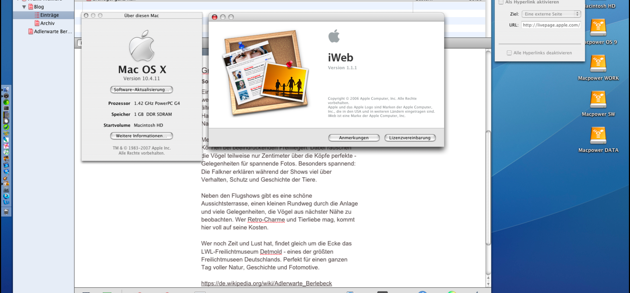
Instead of using a modern content management system or a JavaScript framework, the site is created with iWeb 3.0.4, Apple's discontinued website editor from the iLife suite.
The goal of the project is not only to publish content, but also to experiment with different technologies, automation, and AI-assisted development.
The Core Idea
At its heart, this site is a static website.
All pages are simple HTML files generated by iWeb and then modernized through a small automated pipeline.
This approach has several advantages:
• very fast loading times
• minimal security risks
• no database required
• long-term stability
The workflow simply adds a modern processing layer around the original iWeb export.
Hardware Setup
The build process runs across two very different generations of Apple hardware.
Content creation happens on a 2010 Mac mini Server, where iWeb 3.0.4 still runs perfectly.
After exporting the site, the files are processed on a MacBook Air with an M4 processor.
Mac mini Server 2010 (Mac OS 10.8)
↓
iWeb 3.0.4 Export
↓
MacBook Air M4
↓
Build Pipeline
The older machine focuses on content creation, while the modern system performs the automation and validation steps.
The Build Pipeline
After exporting the website from iWeb, a small automated pipeline modernizes the generated files.
iWeb 3.0.4
↓
HTML Export
↓
Docker Container
↓
post_export.py
↓
SEO & Link Validation
↓
Deployment
The entire process can be started with a single command: make
This command builds a Docker container and runs the processing scripts inside a reproducible environment.
Post-Processing the Website
The exported files from iWeb reflect web standards from the late 2000s.
To bring the pages up to modern standards, a Python script called post_export.py processes the generated HTML.
The script performs several tasks:
• removing outdated MobileMe references
• fixing URLs and RSS links
• normalizing internal links
• inserting modern meta tags
• generating sitemap.xml and robots.txt
• preparing the site for HTTPS hosting
This step effectively modernizes the static HTML produced by iWeb.
Docker-Based Build Environment
To keep the workflow reproducible, the processing scripts run inside a Docker container.
This ensures the same environment every time the pipeline runs, including:
• identical Python versions
• consistent library dependencies
• predictable build results
Using Docker also means the build pipeline can run on different systems without configuration issues.
AI-Assisted Development
Another goal of this project is experimenting with AI as a development tool.
Different systems contributed to the development of the pipeline:
• Claude generated the initial Python scripts
• ChatGPT reviewed and analyzed the code
• the build pipeline concept emerged from that discussion
• the Docker-based execution environment was added manually
This collaboration shows how AI tools can complement each other during development.
Why Use an Old Tool?
Using iWeb today might seem strange, but the tool still produces clean static HTML.
With a modern processing pipeline around it, the result is a fast and stable website.
In a way, iWeb acts as a visual static site generator, created long before the term became popular.
A Small Experiment
This website is therefore more than just a collection of pages.
It is also an experiment in combining:
• legacy software
• modern infrastructure
• automation
• and AI-assisted development
Sometimes old tools just need a modern pipeline around them.